Gateway Registration Instructions
Gateway Registration is a 3-Step Process
1) User (you) navigates to the site and creates an account for review by the site administrator.
2) Administrator reviews submittal, if approved you will receive an email with further instructions. If not approved, you will receive an email with further instructions or a request for more information. This can take a day or two.
3) You log back into the site and complete your terminal (radio) registration.
Step 1: Create a Gateway Account
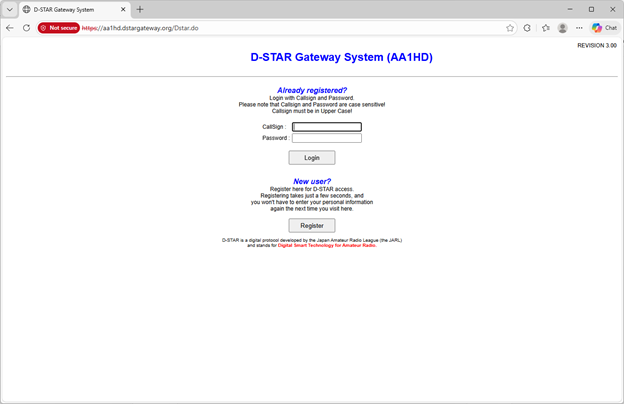
· Navigate to https://aa1hd.dstargateway.org/Dstar.do (Opens in new window)
· Click the ‘Register’ button


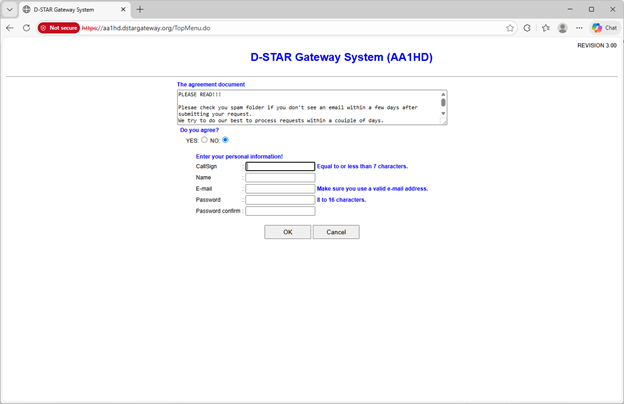
· The registration page opens and you are presented with several fields
· You must read and check ‘Yes’ to accept the terms and conditions
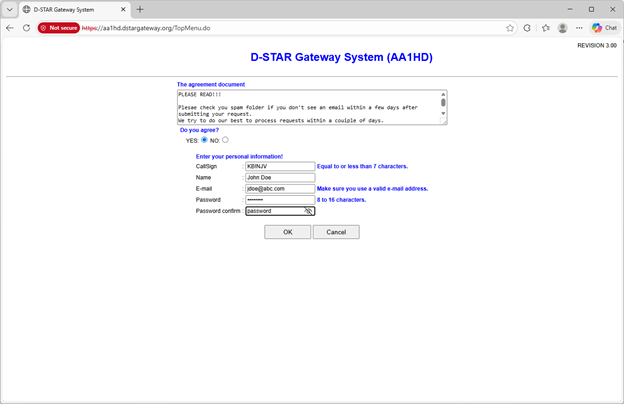
· Enter your Callsign, it must be ALL CAPS (i.e. KB1NJV)
· Enter your name with ‘normal’ capitalization (i.e. Robert Smith)
· Enter a valid email address, this is how the administrator will contact you
· Enter a new password
· Enter the same password in the confirmation field
· Click “OK’ to submit the application
· You will receive a confirmation message if all is good, or an error message if not.
· This completes Step 1. The administrator will review and either notify you of approval or request clarification


Step 2: Administrator Review
· The administrator reviews the request for valid callsign and location. This may take a day or so.
· If its deemed within the coverage of AA1HD, he will approve the request and send an email with further instructions.
· If there are questions, errors, or further information needed, he will email you with details.
· You cannot proceed to Step 3 with an approval.
Step 3: Complete your Account
· Once you receive the confirmation email that your account has been approved, return to aa1hd.dstargateway.org/Dstar.do
· Log in with your callsign (ALL CAPS) and password
· If you have forgotten your password, please email the administrator
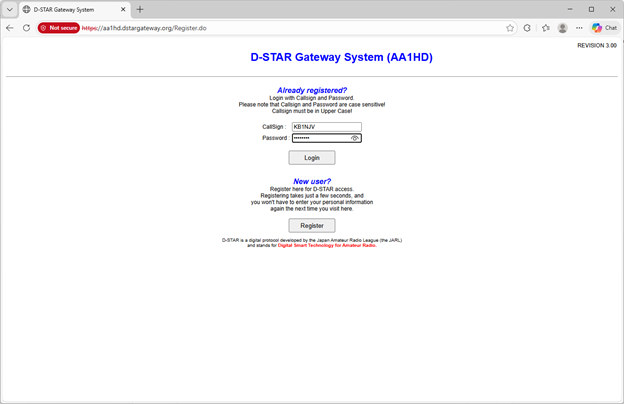
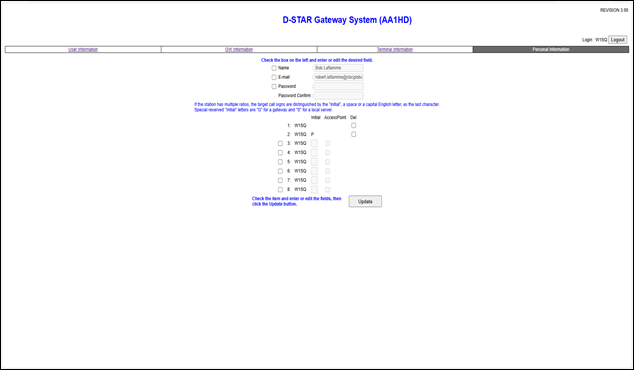
· Once logged in, navigate to the ‘terminal’ tab at the top of the screen
· Your name and email will be pre-filled.
· If you wish to change your name or password (not required)
o Check the box in front of the desired field and enter new information
· Next you need to put in terminal entries so the system can identify your radio. The minimum required is two entries and is sufficient for most users. (Only those with multiple radios and complex setups require more than 2)
· Check the box on the first entry and type a single SPACE in the ‘Initial’ field. DO NOT leave it blank.DO NOT check the ‘Access Point Box’
· Check the box on the second line and place a ‘P’ in the ‘Initial’ Box. Again DO NOT check the ‘Access Point’ Box.
· When you are satisfied with your edits, click the “Update” button
This completes the registration process; you are free to program your radio according to the manufacturers instructions.
Welcome to the AA1HD D-Star System